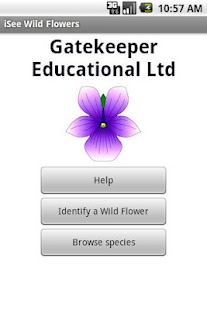
iSee Wild Flowers
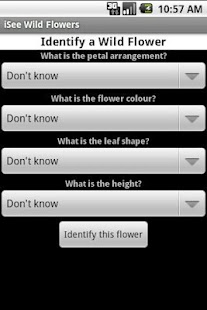
It contains 85 common UK species from very familiar ones like the Dandelion to less familiar ones like the Rough Hawkbit.To identify a wild flower, answer 4 questions about colour, petal type, leaf type and height.
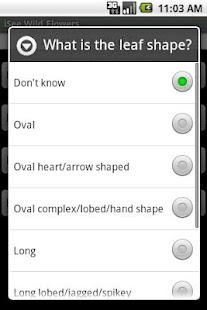
There is illustrated help available from the menu on how to answer questions, what is meant by a "Long" leaf for example.
It is not necessary to answer all questions and any can be left as "Don't Know".
You can, for example, just choose flower colour and then view the thumbnails or images for flowers of that colour that are presented.
When you click identify all the species pictures are presented as thumbnails in the most likely order with exact matches first, then partial matches, then those that do not match any answer.
A box marks the end of the exact matches if any.
Click a thumbnail to see the species picture with brief text beneath.
Pictures include a picture of the complete plant and details of the leaf and flower where necessary.
You can leave all questions as "Don't know" to view all species thumbnails in alphabetical order or you can use the separate species browser which has larger thumbnails and names beside them.
The application uses high quality original paintings by an established wildlife artist.
Species images are 320x320 pixels to give acceptable quality on all phone screen sizes/resolutions and views operate in portrait or landscape mode.
Questions are weighted in order of reliability, taking into account both the "correctness" of the answer and also the chances of error in answering it.
In some cases more than one answer can be correct, either because more than one can apply to the species or because the characteristics fall between one type or another and either answer is reasonable.
About iSee Wild Flowers
- Package name (App ID)
- gel.ISee.WildFlowers
- Available on
- Google Play
- Price
- Free
- Version
- v2.1
Looking for the iSee Wild Flowers APK?
The safest way to get iSee Wild Flowers (gel.ISee.WildFlowers) on your Android device is to install it directly from Google Play — you'll always get the latest official version, automatic updates, and no risk of modified or infected APK files from third-party sites.
Camera Features
Advanced camera features with editing capabilities.
Food & Dining
Discover recipes and order food from your favorite restaurants.
Lifestyle
Enhance your lifestyle with personalized tips and features.
See iSee Wild Flowers in Action
Frequently Asked Questions
Is iSee Wild Flowers free?
Yes, iSee Wild Flowers is free to download and install on Android through Google Play.
How do I install iSee Wild Flowers on Android?
Open Google Play on your Android phone or tablet, search for iSee Wild Flowers or tap the Google Play button on this page, then tap Install. The app downloads and installs automatically.
What is gel.ISee.WildFlowers?
gel.ISee.WildFlowers is the App ID (package name) of iSee Wild Flowers on Google Play. Every Android app has a unique package name, and it is the safest way to verify you are installing the official app.
Is iSee Wild Flowers safe to download?
Installing iSee Wild Flowers from Google Play is the safest option: you get the official version, verified by Google Play Protect, with automatic updates. Avoid APK files from unofficial third-party sites.
Get iSee Wild Flowers Today
iSee Wild Flowers for Android — free download on Google Play.
Compatible with Android phones and tablets — available on Google Play.
Ask AI about this app
Get instant answers about features, tips and more from popular AI assistants.